
Download MindMeldCanvas – AI Writing Assistant, Templates, Fact‑Checking
Overview
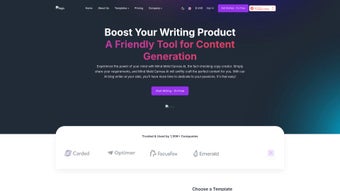
MindMeldCanvas is a cloud‑based AI writing assistant that targets anyone who creates written content on a regular basis – from freelance bloggers and marketers to corporate communications teams. Built on a robust language model, the platform not only generates drafts in seconds but also cross‑checks facts against trusted sources, ensuring that the output is both compelling and accurate. Users simply describe what they need – a blog intro, a promotional email, a LinkedIn post, or even a website privacy policy – and MindMeldCanvas supplies a polished piece that matches the tone, length, and style specifications.
The tool’s extensive template library spans more than a dozen categories, making it easy to jump straight into the writing process without starting from a blank page. By automating research, drafting, and editing, MindMeldCanvas promises to cut down the time spent on content creation by up to 70 %, while also reducing the risk of publishing misinformation. Its web‑only delivery means you can work from any device with an internet connection, and the platform continuously receives updates that improve language fluency, template variety, and fact‑checking depth.
Whether you are a solo entrepreneur looking to scale your outreach or a large team needing consistent brand voice, MindMeldCanvas offers a secure, subscription‑based solution that balances creativity with reliability.
Key Features
- AI‑Powered Draft Generation: Generate high‑quality paragraphs, headlines, and calls‑to‑action in seconds by simply typing a brief prompt.
- Real‑Time Fact‑Checking: Integrated verification engine cross‑references statements with reputable databases, reducing errors before publishing.
- Extensive Template Library: Over 150 ready‑to‑use templates covering blogs, emails, social media, landing pages, policy documents, and more.
- Tone & Style Controls: Choose from casual, professional, persuasive, or technical tones; adjust formality level with a single slider.
- Multi‑Language Support: Write and translate content in 12 languages, with localized grammar checks and cultural nuance handling.
- Collaboration Workspace: Share drafts with teammates, leave comments, and track version history directly within the web app.
- Secure Cloud Storage: All generated content is saved in encrypted storage compliant with GDPR and CCPA standards.
- One‑Click Export: Export to Word, PDF, HTML, or directly publish to WordPress, HubSpot, and social platforms.
- Continuous Learning Updates: Monthly model fine‑tuning adds new vocabulary, industry‑specific jargon, and template expansions.
- API Access (Premium): Integrate MindMeldCanvas generation capabilities into custom workflows, CRMs, or SaaS products.
Installation, Usage & Compatibility
MindMeldCanvas is delivered as a fully hosted web application, which means there is no traditional “installation” process. Users simply sign up, verify their email, and start creating content from any modern browser. The onboarding wizard walks you through the following steps:
- Create an Account: Visit mindmeldcanvas.com, click “Get Started”, and fill in your name, email, and payment details. A free 7‑day trial is available without a credit card.
- Choose a Plan: After the trial, select a subscription tier (Basic, Professional, or Enterprise). All plans include unlimited template access; higher tiers unlock API usage and multi‑user collaboration.
- Set Up Your Workspace: Define your brand voice by uploading style guides, selecting preferred tones, and adding custom keywords.
- Pick a Template: Browse the template library by category or search by keyword. Each template provides placeholder fields that you can fill with your specific details.
- Enter Your Prompt: Describe the content you need in a sentence or two. For example, “Write a 300‑word blog intro about sustainable travel for millennials.”
- Generate & Refine: Click “Generate”. The AI returns a draft within seconds. Use the built‑in editor to tweak wording, add headings, or request a rewrite with a different tone.
- Fact‑Check & Export: Run the fact‑check tool; any flagged statements appear with suggested sources. Once satisfied, export or publish directly.
Because the service runs in the cloud, it is compatible with any operating system that supports a recent browser. The official Windows 10/11, macOS 12+, Linux (Chrome/Firefox), Android 8+, and iOS 13+ environments are fully supported. Performance is optimized for Chrome, Edge, Safari, and Firefox; users on older browsers may experience slower loading times for the AI editor.
For teams that require tighter security, the Enterprise tier offers SSO integration (Okta, Azure AD) and the ability to host a private instance behind a corporate firewall. All data transmission is encrypted via TLS 1.3, and the platform complies with ISO 27001 and SOC 2 Type II standards.
Pros & Cons
Pros
- Lightning‑fast content generation saves hours of manual drafting.
- Built‑in fact‑checking reduces the risk of publishing inaccurate information.
- Huge template library eliminates writer’s block and ensures brand consistency.
- Multi‑language support opens up global markets without additional tools.
- Secure cloud storage and compliance certifications protect sensitive data.
- Collaboration features streamline team workflows directly inside the app.
- Regular AI updates keep the language model fresh and context‑aware.
Cons
- Requires an internet connection; offline usage is not possible.
- Higher‑tier plans can be pricey for solo freelancers on a tight budget.
- Fact‑checking relies on external databases, which may occasionally miss niche sources.
- Custom branding options are limited to the Professional and Enterprise tiers.
- API access is only available with the Enterprise plan, restricting integration for smaller teams.
FAQ & Final Thoughts
Is MindMeldCanvas truly free to try?
Yes. New users receive a 7‑day free trial with full access to all templates and the fact‑checking engine. No credit card is required to start the trial.
Can I use MindMeldCanvas on mobile devices?
Absolutely. The web app is responsive and works smoothly on Android and iOS browsers. All core features, including template selection and AI generation, are available on smartphones and tablets.
How accurate is the fact‑checking feature?
The fact‑checking engine cross‑references statements with over 30 reputable data sources, including news archives, academic journals, and government databases. While it catches the majority of common inaccuracies, niche or newly published data may still require manual verification.
Do I need technical knowledge to set up MindMeldCanvas?
No technical expertise is required. The platform’s onboarding wizard guides you through account creation, template selection, and AI generation using a simple point‑and‑click interface.
What kind of support does MindMeldCanvas offer?
All subscribers receive 24/7 email support, a live chat option for Professional and Enterprise tiers, and access to an extensive knowledge base that includes video tutorials, best‑practice guides, and community forums.
In summary, MindMeldCanvas stands out as a versatile AI writing assistant that blends speed, accuracy, and a rich set of templates into a single, secure platform. Its fact‑checking capability is a major differentiator for marketers and content creators who can’t afford misinformation. While the subscription cost may be a barrier for some freelancers, the productivity gains and reduced editing time often justify the investment. If you’re looking to accelerate content production without sacrificing quality, download MindMeldCanvas today and experience a smarter way to write.



.png)



